

Watch TV on Multiple Devices Without Limits
- Clinton Providence
- Jul 27
- 5 min read
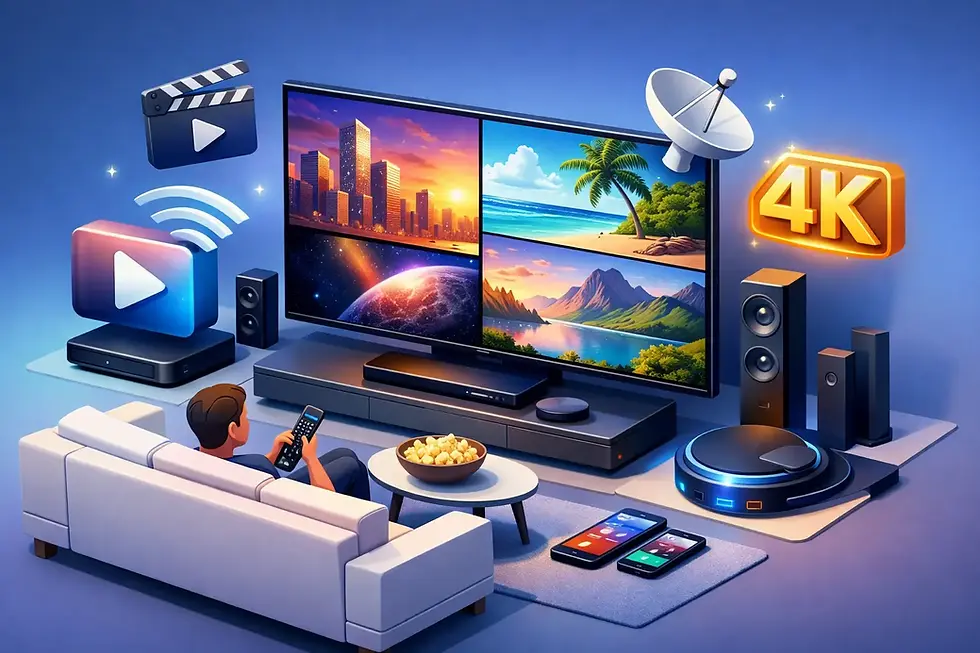
The living-room TV no longer has to control the household’s entertainment. When you can watch TV on multiple devices, the match can stay on the big screen, children can enjoy cartoons on a tablet, and someone travelling can keep up with a favourite series from a phone. That is not a luxury for modern Caribbean households. It is the new standard.
Cable was built around one fixed screen, one box and one room. Streaming puts the choice back in your hands. Watch from the sofa, the bedroom, the office, a relative’s house or while you are away from home. The best setup is simple: open the app, choose what you want and get straight to the entertainment.
Why watch TV on multiple devices?
Families do not watch the same thing at the same time. One person wants live football or cricket. Another wants a new film. Children want their own programmes, and someone else may want local news or radio. A single television and a rigid cable package turn ordinary viewing into a negotiation.
Multi-device streaming changes that. It gives each household member more freedom without requiring extra cable boxes, room-by-room installations or long contracts. A compatible Smart TV delivers the big-screen experience, while phones, tablets and laptops make entertainment portable.
It also makes life more practical. Start a programme in the living room, then continue watching from a tablet when the room is needed. Catch a live event through a browser during a break. Put children’s programming on a separate screen when adults want to watch the news. The household gets more value from one entertainment service because it fits how people actually live.
The screens that matter most
A strong streaming service should meet viewers where they already are. That means supporting the screens used every day, not asking customers to buy specialised equipment before they can watch.
Smart TVs for the full home experience
A Smart TV is still the centrepiece for big sporting moments, movie nights and shared family viewing. The right app should be easy to find, quick to open and simple enough that anyone in the home can use it. No cable box sitting beneath the television. No engineer appointment to get started.
For the best picture and most reliable playback, connect the television to a stable home Wi-Fi network. If your router is far from the TV or several people stream at once, a wired connection can be worth considering where your setup allows it. The goal is straightforward: keep the action on screen, not the buffering icon.
Phones and tablets for entertainment on your terms
Mobile viewing is where streaming leaves traditional TV behind. A phone or tablet lets you take live TV, series, films and radio beyond the living room. It is ideal for commuters, students, parents waiting at activities, or anyone who wants their own screen without taking over the main TV.
Screen size is the trade-off. A tablet is more comfortable for films and long matches, while a phone is better for quick viewing and staying connected while out. In either case, Wi-Fi is usually the smartest choice when available, especially for longer streams. If you use mobile data, check your data allowance and choose a suitable video quality setting if the app provides one.
Laptops and browsers for flexible viewing
A laptop is often the most convenient option for viewers who work, study or travel frequently. There is no need to compete for a television, and a browser can make it easy to watch from a temporary location without changing anyone else’s setup.
Browser viewing is also useful when you are visiting family or using a shared screen. Keep your sign-in details private, sign out when using a device that is not yours, and avoid saving passwords on public or shared computers. Flexibility should not come at the cost of account security.
Build a better multi-device setup at home
The difference between frustrating streaming and great streaming is rarely complicated. It comes down to a few smart choices around your connection, device updates and household habits.
First, place your router where the signal can reach the rooms where people actually watch. A router hidden in a corner behind furniture may be convenient, but it can weaken the connection to bedrooms or upstairs spaces. If your home has Wi-Fi dead spots, a mesh system or Wi-Fi extender may help, although results depend on the size and layout of the property.
Second, keep your streaming apps and device software updated. Updates can improve performance, solve playback issues and keep sign-in features working properly. This takes minutes and prevents a surprising number of problems when it is time for a live match or a family film.
Third, be realistic about simultaneous streaming. Not every subscription permits the same number of active streams at once, and device access can vary by package or service terms. Check your plan before promising everyone their own screen on a busy evening. A good provider makes these details clear, so you know exactly what your household can expect.
Finally, give the main TV connection priority during major live events. Large downloads, game updates and video calls can all compete for bandwidth. If a big fixture matters, pause unnecessary downloads and ask household members to avoid heavy internet use until the final whistle.
More choice, less cable clutter
The real advantage is not simply having more screens. It is having one place for the entertainment your household cares about. Live sports, movies, series, children’s content, news, international channels and local Caribbean programming should not require a pile of remotes and separate subscriptions.
CBTV is built around that idea: a modern entertainment service for Caribbean viewers who want live TV and on-demand content across Smart TVs, phones, tablets, laptops and browsers. It brings the content families want closer together, without the hardware, fixed-room restrictions and drawn-out commitments associated with old cable models.
For Caribbean-connected viewers in the UK, the US or elsewhere, device flexibility can be especially valuable. Local content and radio help keep home close, while international entertainment gives the whole household more to choose from. Availability can vary by location and subscription, so it is always sensible to confirm what is included before signing up.
How to avoid common streaming frustrations
When playback stops or picture quality drops, the service is not always the cause. Start by checking whether other devices are using the same connection heavily. Restarting the router and the streaming device can also clear temporary issues quickly.
If only one device has a problem, test another programme or another screen. This helps narrow down whether the issue is the app, the device or the internet connection. For Smart TVs, closing unused apps can free up memory. For phones and tablets, make sure there is enough storage available and that the operating system is current.
It also helps to choose devices that suit the job. An older television may still work perfectly with an external streaming device, while a newer phone may offer stronger Wi-Fi performance than an ageing tablet. You do not need the most expensive equipment. You need a setup that is supported, updated and connected well.
Entertainment that moves with your household
Watching on more than one device is about removing small points of friction. No argument over the remote. No missing the start of a match because you are not at home. No need to choose between children’s shows and adults’ viewing every evening.
Choose a service and plan that match your household’s screens, viewing habits and internet connection. Then let every device do what it should: put the entertainment you want within reach, wherever the day takes you.


Comments